



Copyright © 2026 NOVABEYOND LIMITED (company number 2833487). All rights reserved.
Address: UNIT 616 6/F KAM TEEM INDUSTRIAL BUILDING 135 CONNAUGHT ROAD WEST SAI WAN HONGKONG.
Introduction
Many advertisers know Kwai is strong in Latin America and other growth markets, yet they stall at the first operational gate: opening a working ads account. The product brief is ready. Creativity is drafted. Then verification slows down because the company information, website, business documents, or billing details are incomplete or inconsistent.
In 2026, learning how to create a Kwai Ads account is the first step toward testing in-feed, brand, and performance campaigns on the platform. Kwai's official business site currently provides advertising solutions including In-feed Ads, Eyemax, Hashtag Challenge, Magic Face, and creator collaboration options. It also guides advertisers through campaign objectives, audience selection, budget setting, and ad creation.
This guide focuses on account creation, setup, registration, and first-launch readiness. You will learn what to prepare, how the application flow works, which access path may fit your business, and what to check after approval.
For Brazil-specific rules and local entity notes, use the dedicated Kwai Brazil ad account setup guide. For a deeper agency ad account model, see the Kwai agency ad account setup guide. For broader media planning after you have access, keep the Kwai advertising and business solutions guide as a separate strategy resource.
Ask Novabeyond to pre-check your Kwai Ads documents
Quick Answer
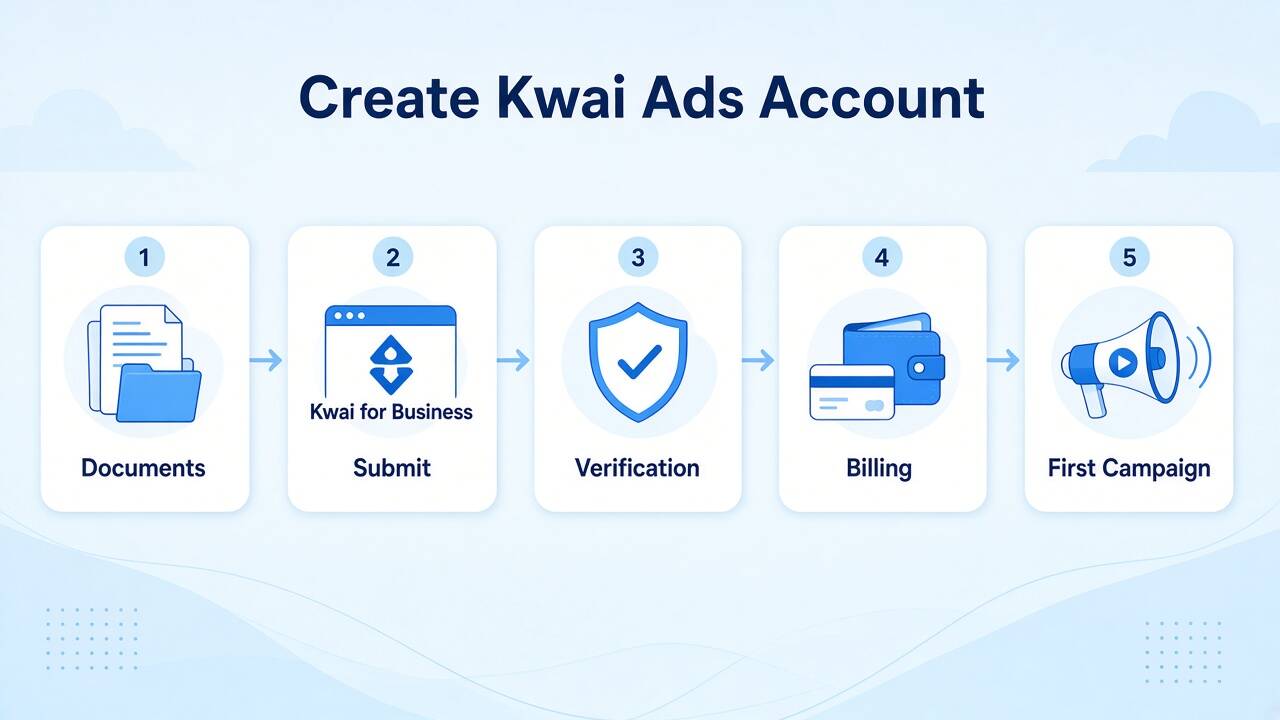
To create a Kwai Ads account, prepare your company information, business registration or commercial license details where required, website or app information, industry and target-market details, and a workable billing setup. Start with Kwai for Business or follow the official Kwai advertising instructions. Kwai's Help Center specifically asks advertisers to provide company and business information through its advertising contact path. After submission, complete the required review and billing steps, then prepare tracking, creative, and a controlled first campaign. Cross-border brands can also consider an authorized partner when documentation, market access, or onboarding creates operational friction.
Why You Should Create a Kwai Ads Account
Creating a Kwai Ads account gives your team a working path into markets where short-form usage is already high and auction pressure can be lower than on more global apps. Official Kwai for Business materials currently package in-feed, brand/impact, hashtag, interactive, and creator options. Until the account exists, you cannot test those formats, wire billing, or collect conversion signals.
Kwai vs TikTok is not a binary choice. TikTok usually offers broader global reach and more mature self-serve tooling. Kwai is often the better create-first move when your priority geos overlap its strongest markets and you need incremental reach rather than another campaign on an already crowded feed. Open the account because the geo and offer fit. Do not open it only because a competitor already runs TikTok.
What You Need Before Creating a Kwai Ads Account
Treat account requirements as an operational checklist rather than a formality. Preparing the information first can reduce avoidable back-and-forth during onboarding.
Core business information and documents
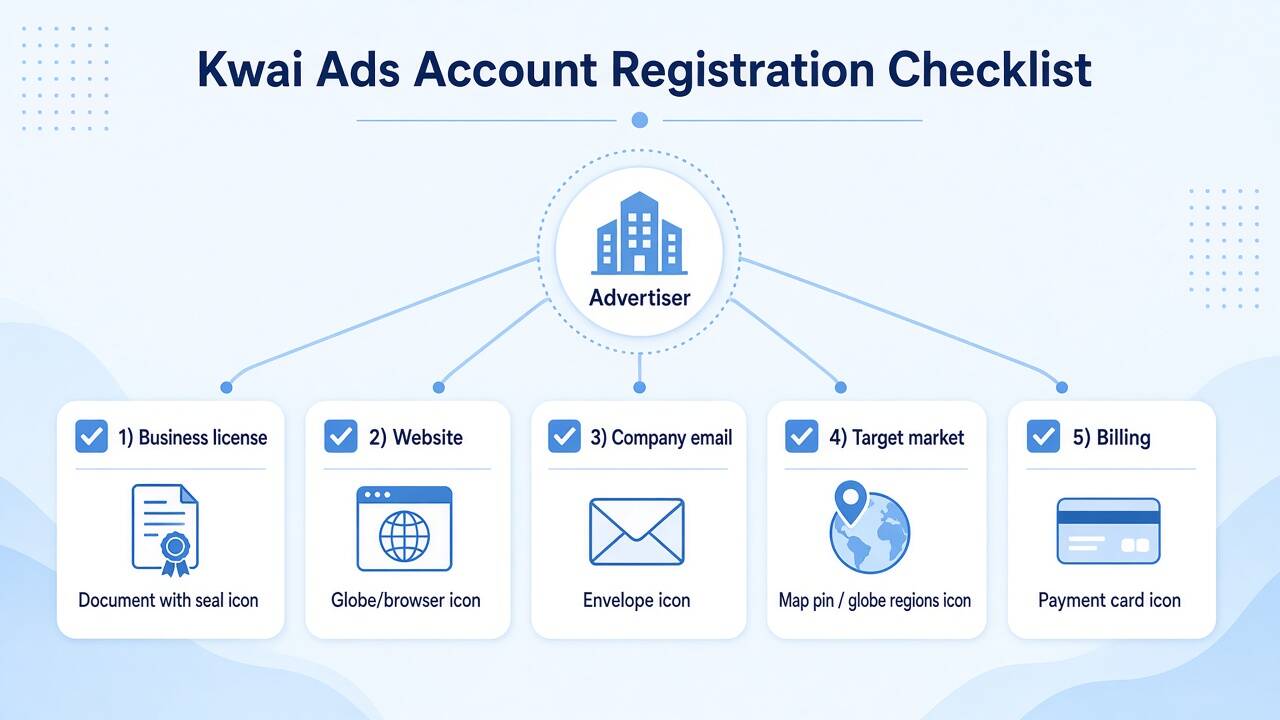
Prepare the following before you start:
Business license or registration information proving the legal status of your company where required. Kwai's official advertising instructions specifically ask for the company name and commercial license or certificate number, with CNPJ given as an example in its advertising intake.
Official website or app information that clearly explains the brand, product, or service you plan to advertise. Kwai's current business contact form asks for a company website or App Store URL.
Company contact details, including a business email and contact person. Use a company-domain email whenever possible.
Industry and product information so the platform can understand what you intend to promote.
Target market and audience details for the countries or regions where you plan to advertise.
Budget information so your advertising requirements are clear during the business onboarding process. Kwai's advertising Help Center specifically asks advertisers to provide their expected advertising budget.
Billing readiness, including a payment method or billing structure available for your account and market.
Kwai's current business contact flow asks for company name, contact person, phone number, business email, industry, location, targeted country or region, company website or App Store URL, and whether the applicant represents an agency.
The more consistent these details are, the easier it is to explain who the advertiser is, what it sells, and where it intends to run campaigns.
Account access options
Not every market offers the same account creation experience. Individual, Business, and partner-assisted access should therefore be treated as different onboarding paths rather than assuming that every advertiser sees the same interface.
Type | Best for | What to expect |
Individual | Freelancers or very small tests where the path is available | Fewer features and lower credibility for brand-scale spend |
Business | Brands and in-house teams with complete company documents | Full ads tools after verification; you own day-to-day operations |
Agency ad account | Cross-border brands that need faster compliance and billing support | Partner-assisted onboarding; clarify login, limits, and campaign control before spend |
An agency ad account should not be treated as a universal third account type available in every market. It is better understood as an agency-assisted operating model. The exact setup, permissions, billing structure, and available features depend on the market and partner arrangement.
Kwai's own Business platform explicitly supports both advertisers and agencies, while its contact flow asks applicants whether they are representing an agency.
Common issues that can slow onboarding
Before submitting your information, check for obvious inconsistencies:
Company name differs between the application and business documentation.
Website does not clearly identify the advertised brand or product.
Business information is incomplete.
Industry or product information is too vague.
The proposed product falls into a category requiring additional compliance review.
Billing information does not align with the intended advertiser or approved billing structure.
Kwai's advertising policies also state that advertisers are responsible for complying with applicable laws and regulations, and that ads can be reviewed before publication. Landing-page functionality, product or service consistency, ad content, and targeting are among the areas covered by its advertising policies.
How to Create a Kwai Ads Account Step by Step
The exact interface and onboarding route can vary by market, but the core process follows a clear sequence.
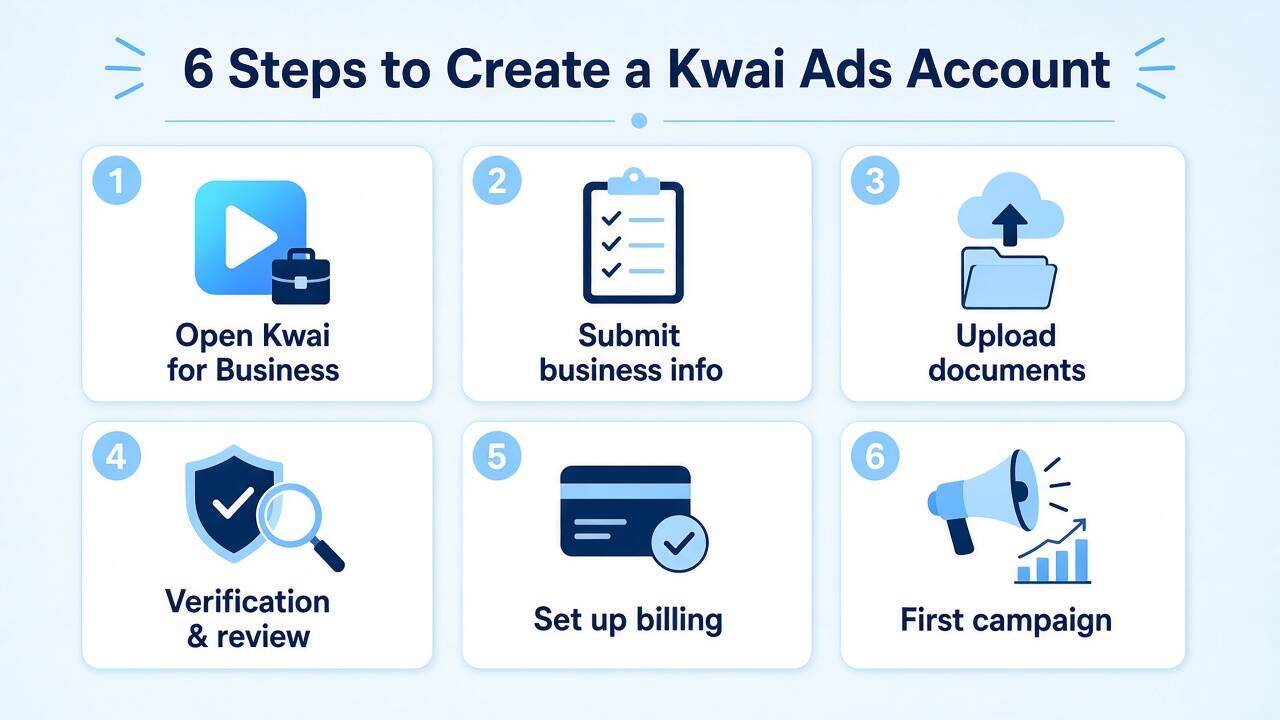
Step 1: Open the official Kwai for Business path
Start with Kwai for Business or the official Kwai Help Center advertising instructions.
Kwai's current Business site provides a Contact Us route for advertisers and asks for company, contact, industry, target-market, and website or app information.
Prefer official Kwai channels over unofficial account-opening pages. This gives you a clearer starting point and reduces the risk of submitting company information to an unrelated intermediary.
Step 2: Submit your business information
Provide your company name, industry, website or app, contact information, target market, and expected advertising budget.
Keep your legal company name and other business details consistent with your supporting documents.
Kwai's official Help Center lists company name, commercial license or certificate number, website, company size, target users, industry, advertising expectations, monthly budget, decision-maker information, and previous advertising experience among the requested information for its advertising contact process.
Step 3: Submit business documentation
Provide the business license, registration certificate, or other documentation requested for your market or account path.
Before uploading anything, check:
Legal name is readable.
Document is current.
Company details are consistent.
The website and advertised offer match the business.
Files are clear and complete.
For Brazil-focused onboarding, the official Kwai advertising instructions specifically reference a commercial license or certificate number such as CNPJ.
Step 4: Complete verification and review
Kwai reviews advertising activity under its applicable advertising policies. The platform states that advertisements can be reviewed before they are displayed, and that advertisers may need to modify and resubmit materials when an ad does not meet policy requirements.
Review time can vary according to the market, documentation, advertiser category, and whether additional information is required. Avoid treating any unofficial turnaround estimate as a guaranteed approval time.
If a submission is rejected or requires clarification, fix the underlying issue instead of creating duplicate applications without understanding the reason for the review outcome.
Step 5: Set up billing
Once access is approved and the available billing options are confirmed, configure the payment or billing method required for your account.
Check the payer information carefully before funding the account. If your brand operates across multiple entities or markets, confirm which legal entity should be associated with the advertising and billing setup.
Step 6: Prepare your first campaign
Do not stop once you can access the advertising environment.
Kwai's Business platform organizes campaign creation around four practical areas: setting the campaign objective, selecting the target audience, setting the budget, and building the ads.
Before launch:
Confirm Ads Manager access and user permissions.
Set up conversion tracking if your objective requires it.
Prepare a controlled initial budget.
Launch with localized creative and a clear CTA.
Use enough audience breadth to generate meaningful learning signals.
Monitor early disapprovals, payment issues, and account limits.
Keep detailed audience systems on a targeting resource, not on this create page. For another global setup angle after access exists, use Novabeyond's Kwai ad account setup guide for global advertisers.
Create a Kwai Ads Account Yourself vs Through an Authorized Partner
Self-managed registration can work well when your company documentation is complete, your target market is clear, and your team can handle onboarding and campaign operations directly.
Partner-assisted onboarding can make more sense for cross-border brands, multi-market launches, or teams that need help interpreting local requirements and preparing the account for launch.
The key is to separate account access support from account ownership and campaign control. If you use an agency ad account arrangement, clarify who controls login access, billing, campaign permissions, data, and day-to-day optimization before spending begins.
Factor | Create yourself | Through an authorized partner |
Document readiness | You assemble and resubmit alone | Pre-check reduces mismatch rejects |
Timeline | Fine if you can wait out revisions | Usually faster to first usable login |
Spend limits and billing | You discover limits after approval | Partner explains payment options and limits earlier |
Compliance coaching | You interpret policy notes yourself | Category and creative risk flagged before spend |
Account control | Full control if self-managed | You should still retain login and campaign control |
Best fit | Local entity, simple vertical, patient ops | Cross-border, Brazil-heavy plans, lean media teams |
This page teaches create. It is not a substitute for the agency-deep explainer on Kwai agency ad account setup, and it is not a Brazil local playbook. Brazil advertisers should open the Kwai Brazil ad account guide in parallel.
Compare self-serve vs partner onboarding for your target markets
How Novabeyond Helps With Kwai Ads Account Setup
Novabeyond's Emerging Media Solutions service supports advertisers that need access to emerging media platforms and regional growth channels.
For Kwai onboarding, the support process can focus on the operational issues that commonly slow down a launch:
Document pre-check: Review company, website, product, and market information before submission.
Account-path assessment: Determine whether direct business onboarding or an agency ad account model better fits the campaign structure.
Application support: Help organize the information required for the relevant onboarding route.
Billing and access clarification: Make the operating model clear before campaign spending begins.
First-campaign readiness: Help align tracking, creative, and budget with the launch plan.
You should retain clear visibility into your advertising operations. A professional agency ad account arrangement should define access, campaign control, billing responsibilities, and data handling from the beginning.
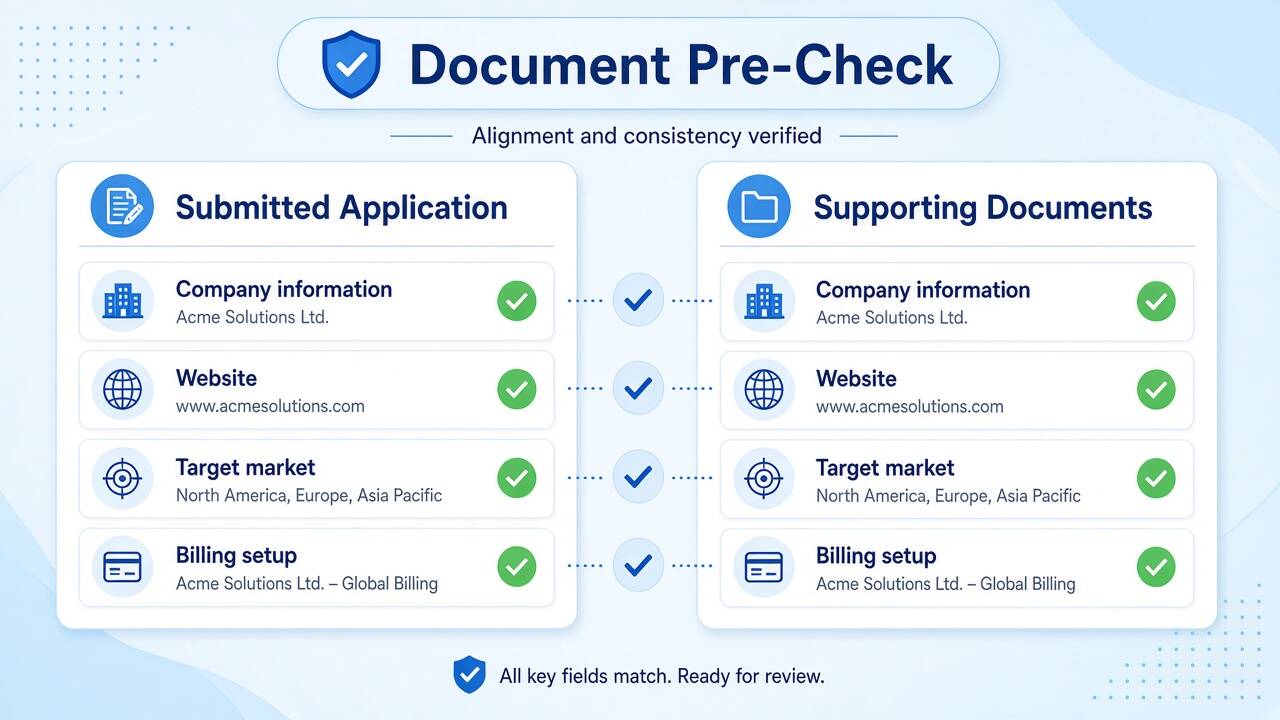
Document Pre-Check
Before submitting an application, align four elements around the same advertiser story:
Legal company name matches the submitted business information.
Website or app clearly represents the brand and advertised offer.
Company contact details identify the advertiser and responsible contact.
Billing setup is consistent with the approved advertiser and applicable account structure.
Then prepare a short product summary covering:
Product category
Target geographies
Target audience
Landing-page URL
Advertising objective
Expected budget
Whether the campaign is Brazil-only or multi-market
This makes the onboarding process easier to manage and gives your media team a clear handoff once the account is ready.
After Creation: First Campaign Checklist
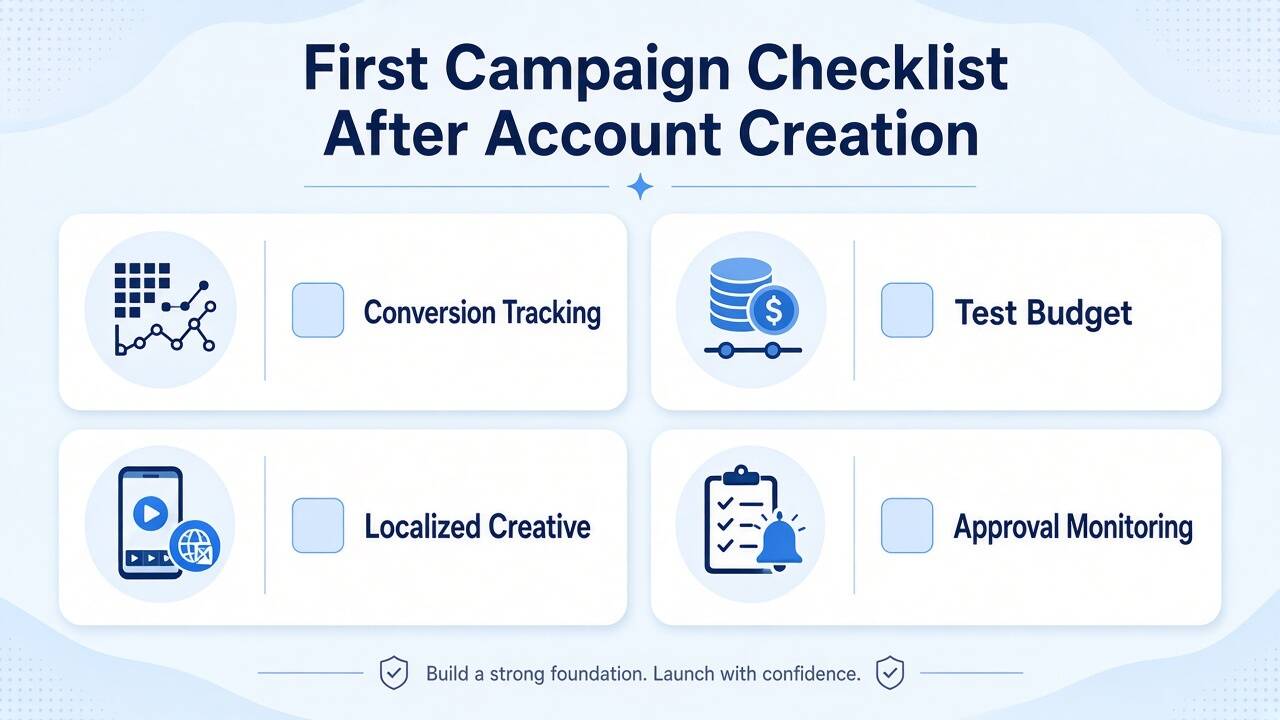
Opening the account is not the finish line. Use this checklist before you scale:
Confirm Ads Manager login and user permissions for your media buyer.
Bind conversion tracking such as a pixel, postback, or MMP when required.
Set a learning budget that your team can maintain consistently during the initial test.
Launch with native vertical video, local language, and one clear CTA.
Start with sufficient audience breadth for learning, then refine based on performance data.
Monitor early disapprovals, payment failures, and account or spending limits.
Kwai's Business platform highlights campaign objective, audience, budget, and ad creation as the core elements of campaign setup. Its advertising policies also require advertisers to comply with applicable laws and ensure that advertising materials and landing pages meet platform requirements.
Best Practices After You Create a Kwai Ads Account
Localize language, talent, and offers for the market you actually submitted in the application.
Keep the first budget stable long enough for learning. Frequent bid or budget changes reset the test.
Prepare a backup creative set before the first review cycle, not after the first disapproval.
Confirm tracking fires before you scale spend.
Common Challenges in Kwai Ads Account Setup
Document rejection from mismatched legal names, weak websites, or incomplete files.
Payment methods that do not match the verified entity or the local billing option.
Policy holds on restricted categories, landing-page issues, or unsupported claims.
Slow review when the application is incomplete or the market path is cross-border.
Fix the root mismatch, then resubmit. Do not open duplicate applications without understanding the review note.
FAQ
1. How long does it take to create a Kwai Ads account?
There is no single approval timeline that applies to every market or advertiser. Review time can vary according to the account path, documentation, industry, target market, and whether additional information is required. Complete and consistent information can help reduce avoidable resubmission cycles.
2. Is a business license required for Kwai Ads?
Kwai's official advertising instructions request a commercial license or certificate number as part of its advertising contact process, with CNPJ listed as an example. Requirements can vary by market and onboarding route, so advertisers should confirm the documentation applicable to their specific setup.
3. Can individuals run ads on Kwai?
The available onboarding options can vary by market. If you are advertising on behalf of a registered company, prepare company information and supporting documentation first. For brand-scale campaigns, a Business or appropriate partner-assisted route may provide a clearer operational structure.
4. What billing options exist after Kwai Ads account registration?
Billing availability depends on the account structure, market, and applicable setup. Confirm the available payment or billing method before funding the account, and make sure the payer information is consistent with the approved advertiser structure.
5. Do I lose control if I create the account through an authorized partner?
You should clarify account access, campaign permissions, billing responsibilities, and data handling before onboarding. A professional agency ad account arrangement should make these responsibilities clear rather than leaving ownership and operational access undefined.
6. Kwai vs TikTok Ads: which should I open first?
Open TikTok when you need global scale and mature self-serve tooling. Open Kwai when your priority geos and creative style fit Kwai's strongest markets and you want incremental reach. Many advertisers run both once budgets support parallel learning.
7. What should I do after approval if I only care about Brazil?
Complete the relevant billing and tracking steps, then review the local entity and payment considerations in the Kwai Brazil ad account guide before increasing spend.
8. Where do I go for targeting and full media strategy?
Keep this page focused on account creation and registration. For broader planning after access, use the Kwai advertising solutions strategy guide. If you need a deeper agency access model, see the Kwai agency ad account setup guide.
Conclusion
Creating a Kwai Ads account in 2026 is an operational process with a clear sequence: prepare consistent company information, submit through official Kwai for Business channels, complete the required review, configure billing, and prepare a controlled first campaign.
The most important step is not simply getting access. It is making sure your company information, website, product, target market, billing setup, and campaign plan tell a consistent story from onboarding through launch.
Self-managed setup can work well when your documentation and market requirements are straightforward. For cross-border brands and lean media teams, an authorized partner can provide additional onboarding and compliance support while helping the team move from account creation to campaign execution.
Novabeyond supports this process through Emerging Media Solutions, helping advertisers navigate emerging platforms, regional access, onboarding requirements, and growth opportunities. Use this guide for account creation and registration, then move to the Brazil, agency ad account, global setup, and strategy resources when your campaign requires deeper support.
more posts
Google Ads Suspended in 2026? How to Appeal and Unblock Your Manager Account
September. 20 2026
LEARN MORE

Swiftproxy Review 2026: Exploring Its Residential Proxy Features and Performance
July. 17 2026
LEARN MORE
Verified Agency Ad Account Provider | Stable Ad Accounts 2026
May. 25 2026
LEARN MORE
2026 Agency Advertising Account Leasing Service: A Guide
May. 20 2026
LEARN MORE