




Copyright © 2026 NOVABEYOND LIMITED (company number 2833487). All rights reserved.
Address: UNIT 616 6/F KAM TEEM INDUSTRIAL BUILDING 135 CONNAUGHT ROAD WEST SAI WAN HONGKONG.
Moloco DSP is a machine learning-driven programmatic advertising platform primarily designed for mobile app growth and user acquisition. Unlike traditional ad platforms that rely on rules or manual optimization, Moloco uses real-time predictive models to automate bidding decisions, user targeting, and budget allocation. This helps advertisers boost conversion efficiency and return on ad spend (ROAS).
The platform is particularly popular among growth teams for games, e-commerce, and utility apps, as its traffic comes mainly from in-app ecosystems with strong conversion potential. This article provides a detailed step-by-step guide to launching ad campaigns on Moloco DSP, making it easy for you to get started.
How to Launch an Ad Campaign on Moloco DSP
I. Add Your Promotional App
Before launching ad campaigns on Moloco DSP, you need to add your app to the system first.
Follow these steps:
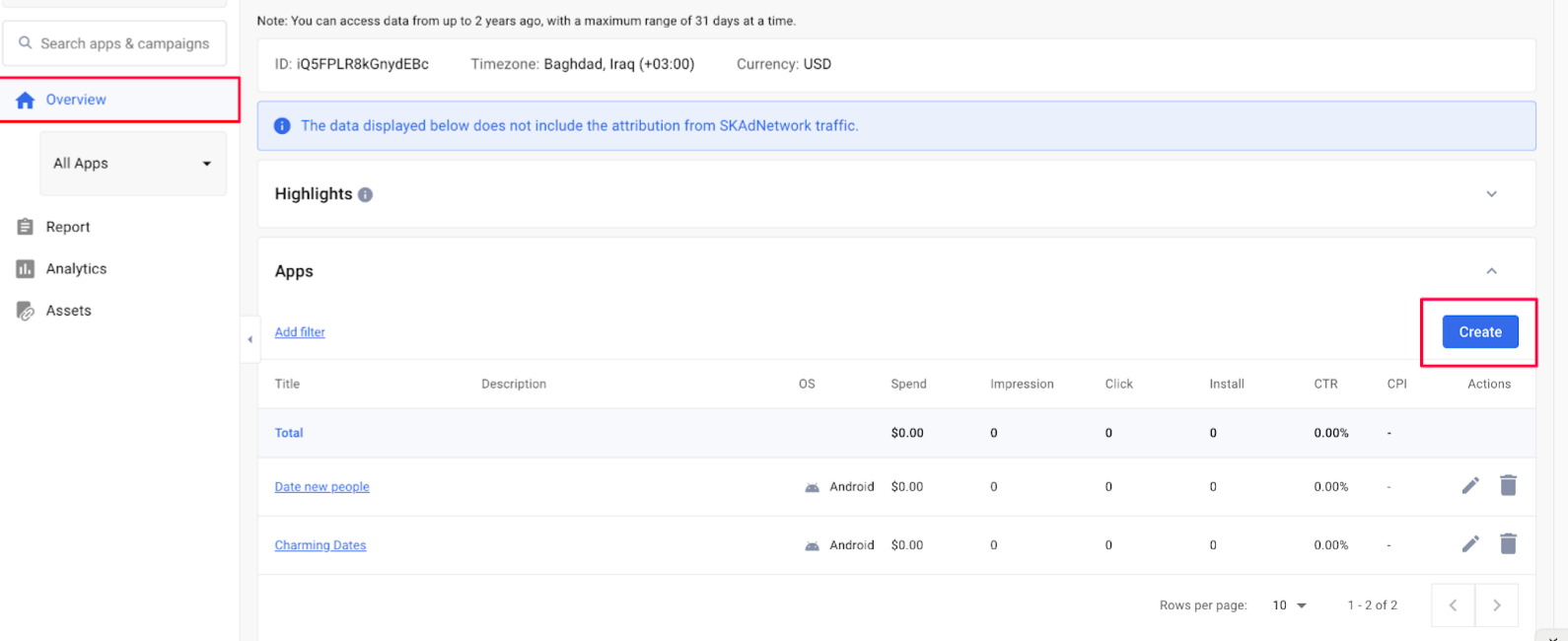
1. Go to the account dashboard homepage and select Create New Asset.
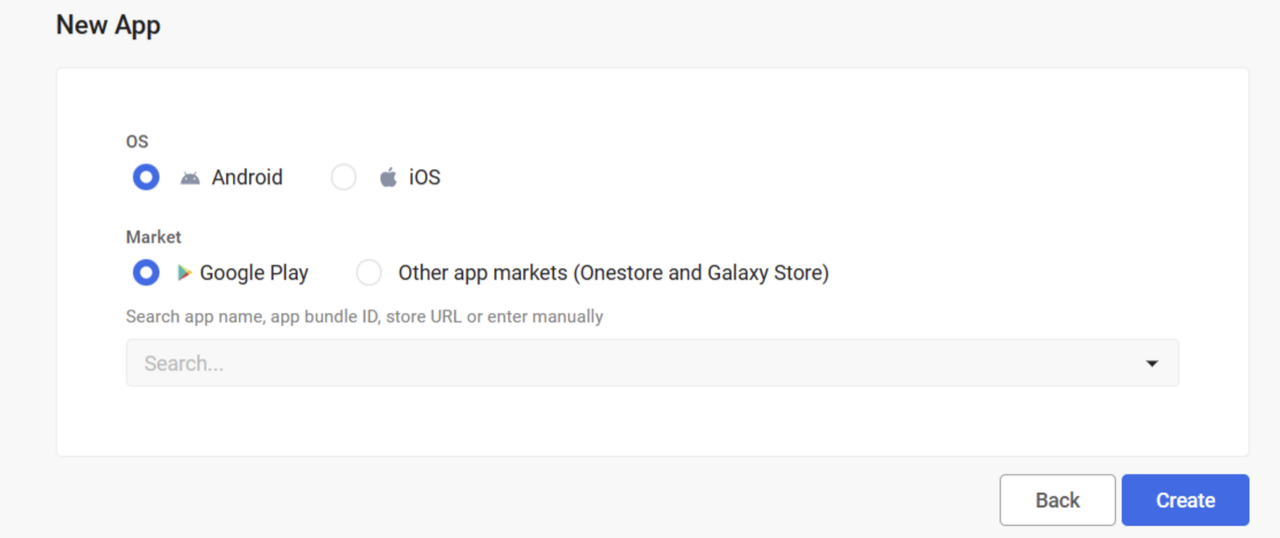
2. Choose your app platform (Android or iOS) and paste the app store link from that platform. The system will automatically fetch the app information and generate creative assets. Confirm to complete app registration.
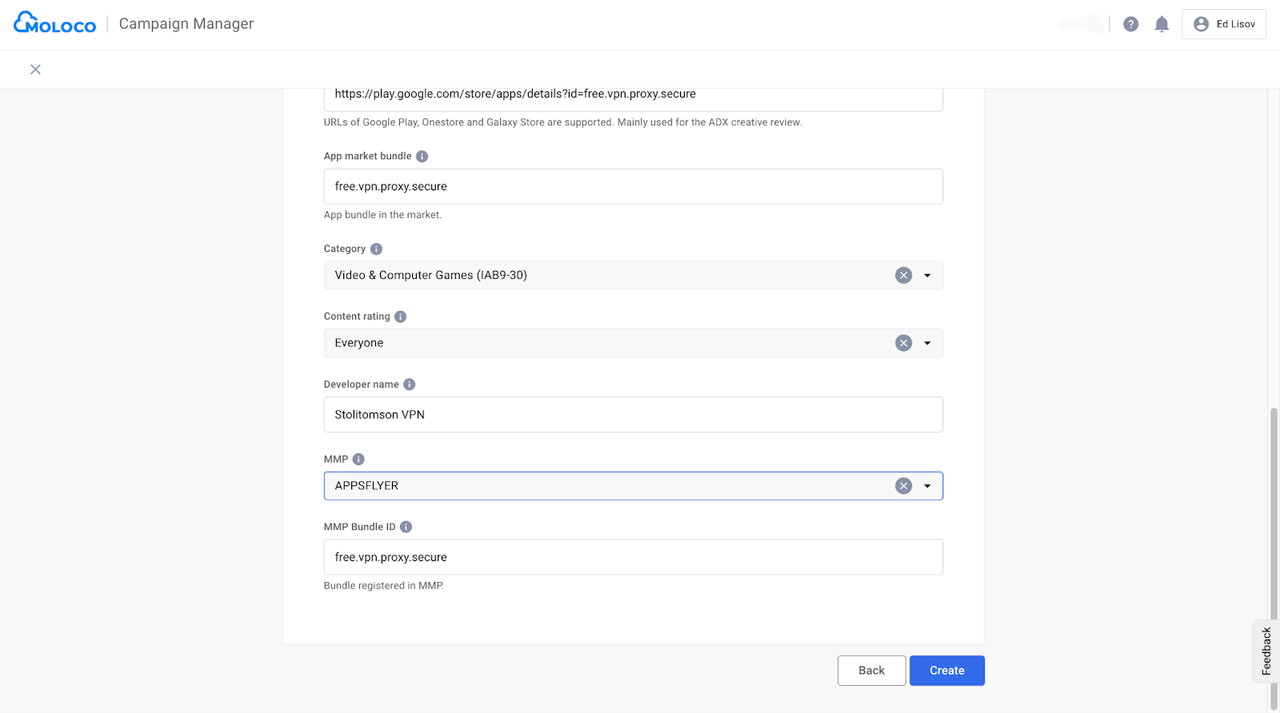
3. Specify your MMP (Mobile Measurement Partner) tracker, such as AppsFlyer or Adjust, for tracking user actions. Find the MMP Bundle ID—copy the app market bundle content or the part after "URL=" in the app market URL, Click Create to finish.
II. Ad Campaign Settings
Once your app is added, you can set up your ad campaign.
1. Click Create Campaign and select your ad objective based on your needs.
When creating a Campaign, choose the optimization goal: Installs, In-App Events, or ROAS. For beginners, start with Installs to build data, then switch to value-based optimization later.
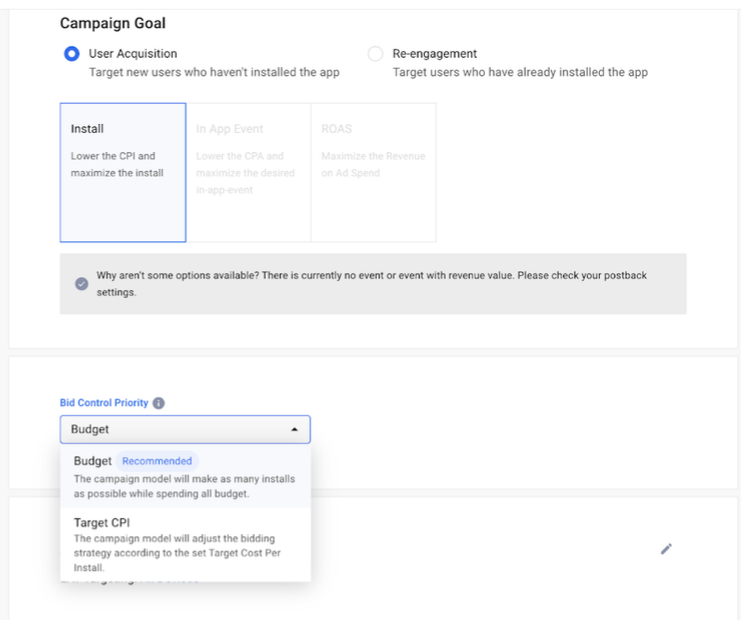
For the Install goal, pick one of these options based on your expectations:
• Budget (recommended): The system aims to spend your full budget while maximizing installs. Ideal if you're chasing maximum volume.
• Target CPI: Set your desired cost per install, and the system auto-adjusts bids to hit it. Great for cost control.
2. Set GEO Targeting Structure
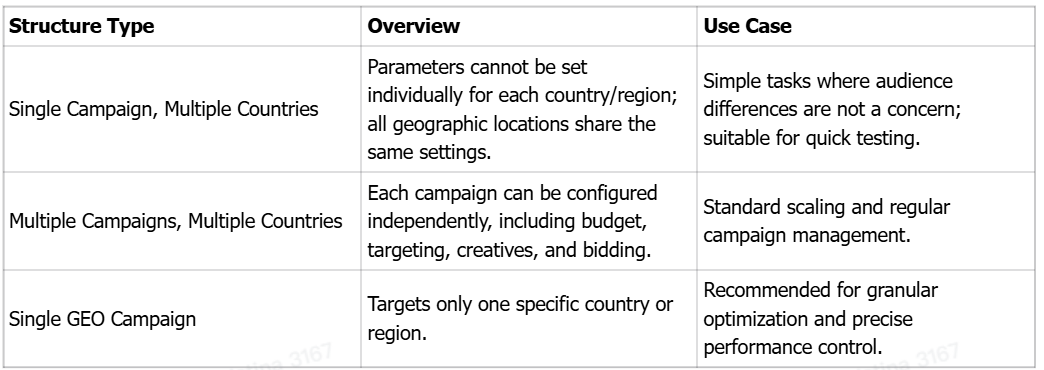
For algorithm training, select just one country to reduce costs and speed up optimization.
3. Basic Campaign Parameters
Next, configure detailed parameters like title, description, budget, ad schedule, and tracking links. Note that some parameters can be set to distinguish by country or not, and checking "Set by country" allows for separate settings for different countries.
① Title and Description
Name it following rules, e.g., mlc_TeaBreak_ind_roas_0619 (include creation date), and add a description.
② Budget and Spend
Choose daily average or fixed budget.
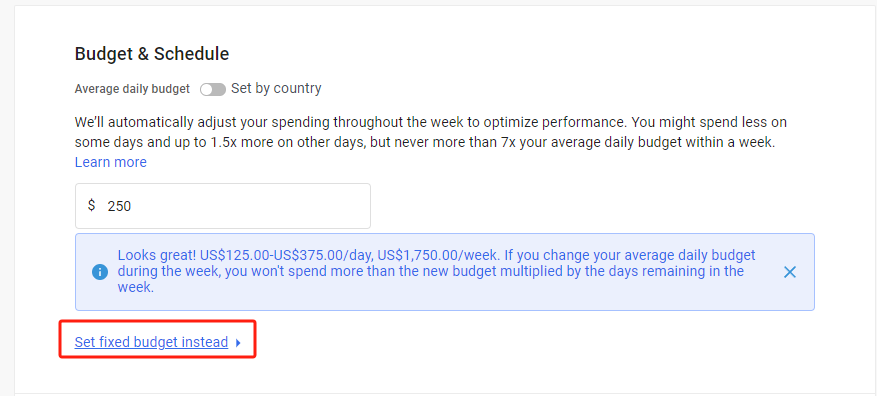
• Daily Average Budget: Moloco distributes the daily budget across the week based on actual performance—not strictly daily. Spend may be under target or up to 1.5x, but weekly total won't exceed the average.
• Fixed Budget: Set daily fixed or allocate per day of the week (Mon-Sun).
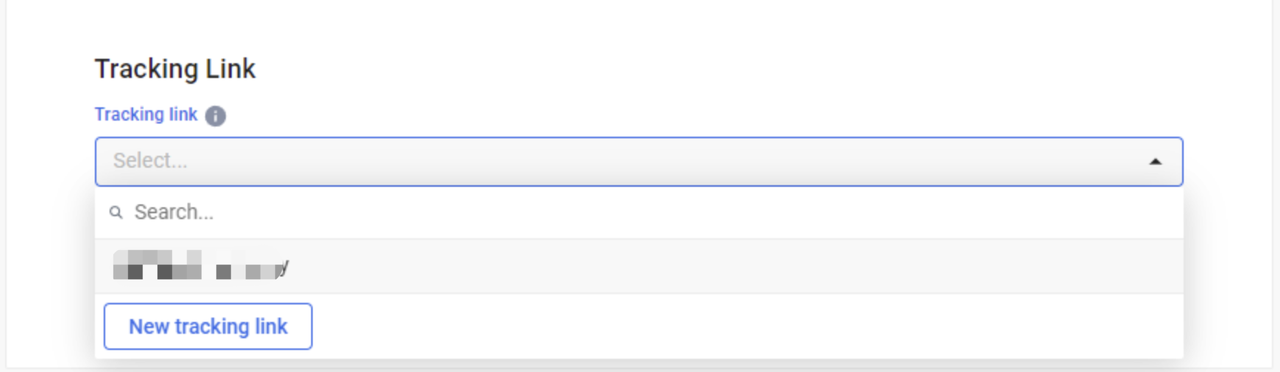
③ Tracking Links
Use your MMP's click and view-through tracking links. If pre-configured, select them. Otherwise, choose New Tracking Link and set it up step-by-step. Contact your account manager or tech support for help with trackers or ad packs.
III. Upload Ad Creatives
From the left sidebar, go to Creatives, click Create, and upload your assets. Moloco supports in-app formats like video, native, and image ads. Submit compliant creatives for review, once approved, they're ready to run.
Conclusion
This covers the basic workflow for launching ad campaigns on Moloco DSP. For more detailed instructions or optimization tips, message us or leave a comment.
Moloco DSP is a powerful ad platform with advanced AI algorithms that optimize installs, target user behaviors, and ROAS. Its user scale rivals Facebook and Google, making it one of the best solutions for promoting mobile apps (especially games). Using a Moloco DSP agency account from Novabeyond simplifies setup, speeds up approvals, and enables even complex, high-ROI campaigns.
more posts
MediaGo, Taboola, and Outbrain: How Native Ad Platforms Differ for E-commerce Brands
June. 22 2026
LEARN MORE

BIGO Ads vs Kwai Ads: How Geography and Category Shape Performance in Short-Video Ecosystems
June. 16 2026
LEARN MORE
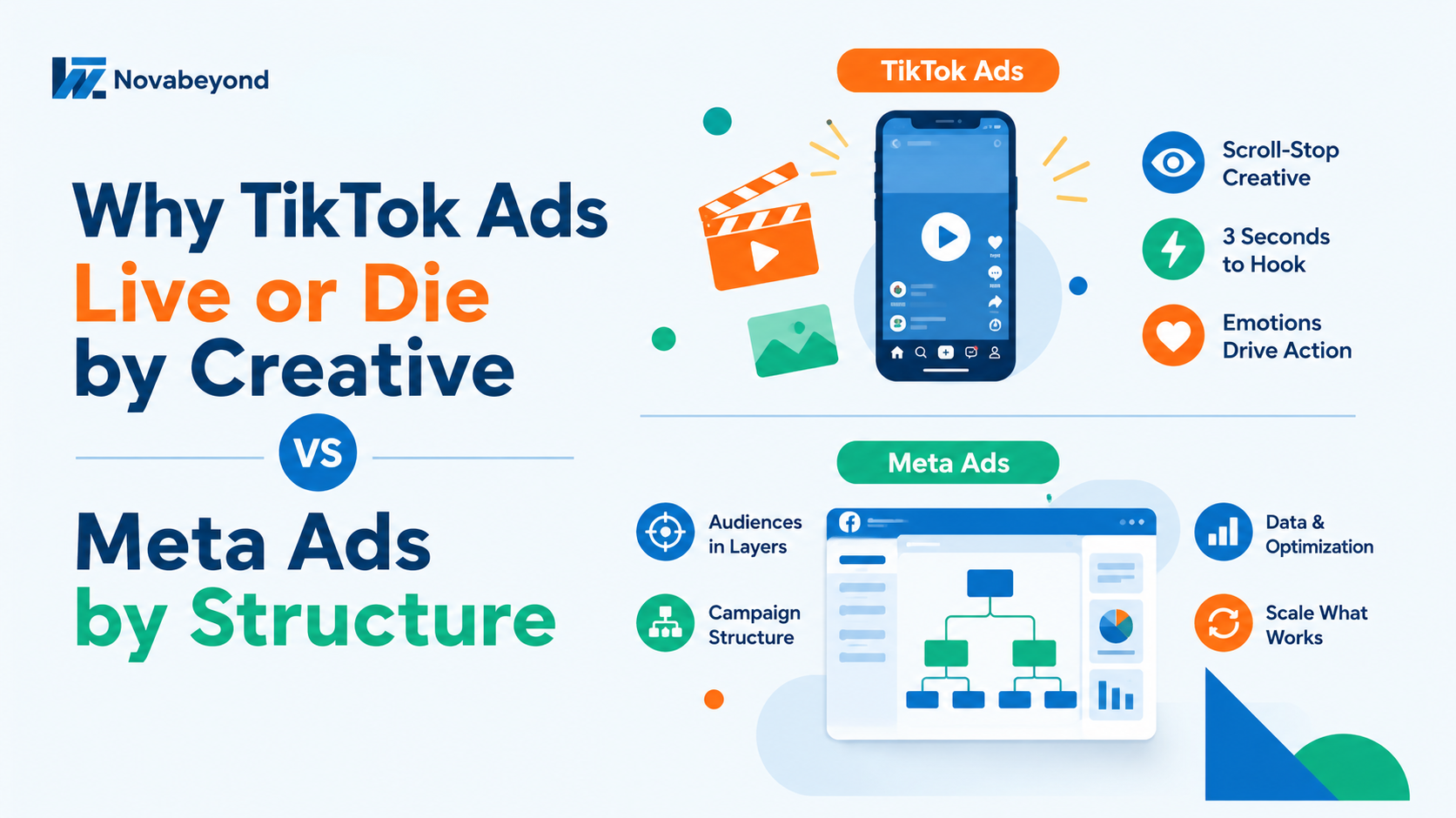
Why TikTok Ads Live or Die by Creative and Meta Ads by Structure
June. 09 2026
LEARN MORE
Taboola and Native Traffic: Why Content-Contextual Advertising Is Your Next Performance Frontier
May. 27 2026
LEARN MORE